repoDNA scans your project with a local Ollama model and writes the structured context file your AI coding assistant needs — so every session starts with full project understanding.
The interface guides you through every decision. No config files, no CLI flags — just a clean wizard in your browser.
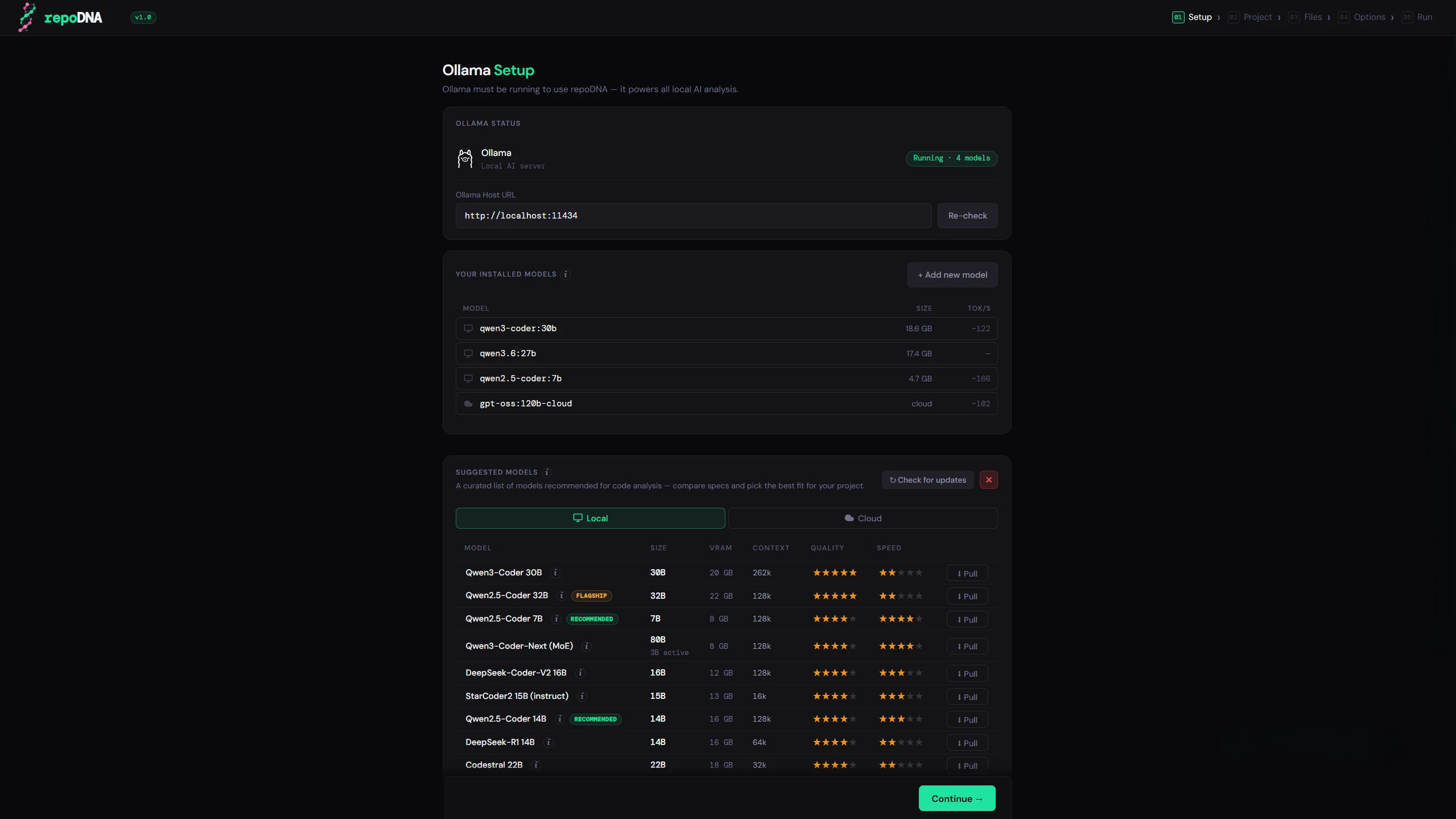
Checks whether Ollama is running and lists all locally installed models. If Ollama is missing, the interface shows the exact install command for your platform. A curated model reference table lets you compare and pull the right model before starting — ranked by quality, speed, and VRAM requirements.
Ollama · model reference · pull from UI
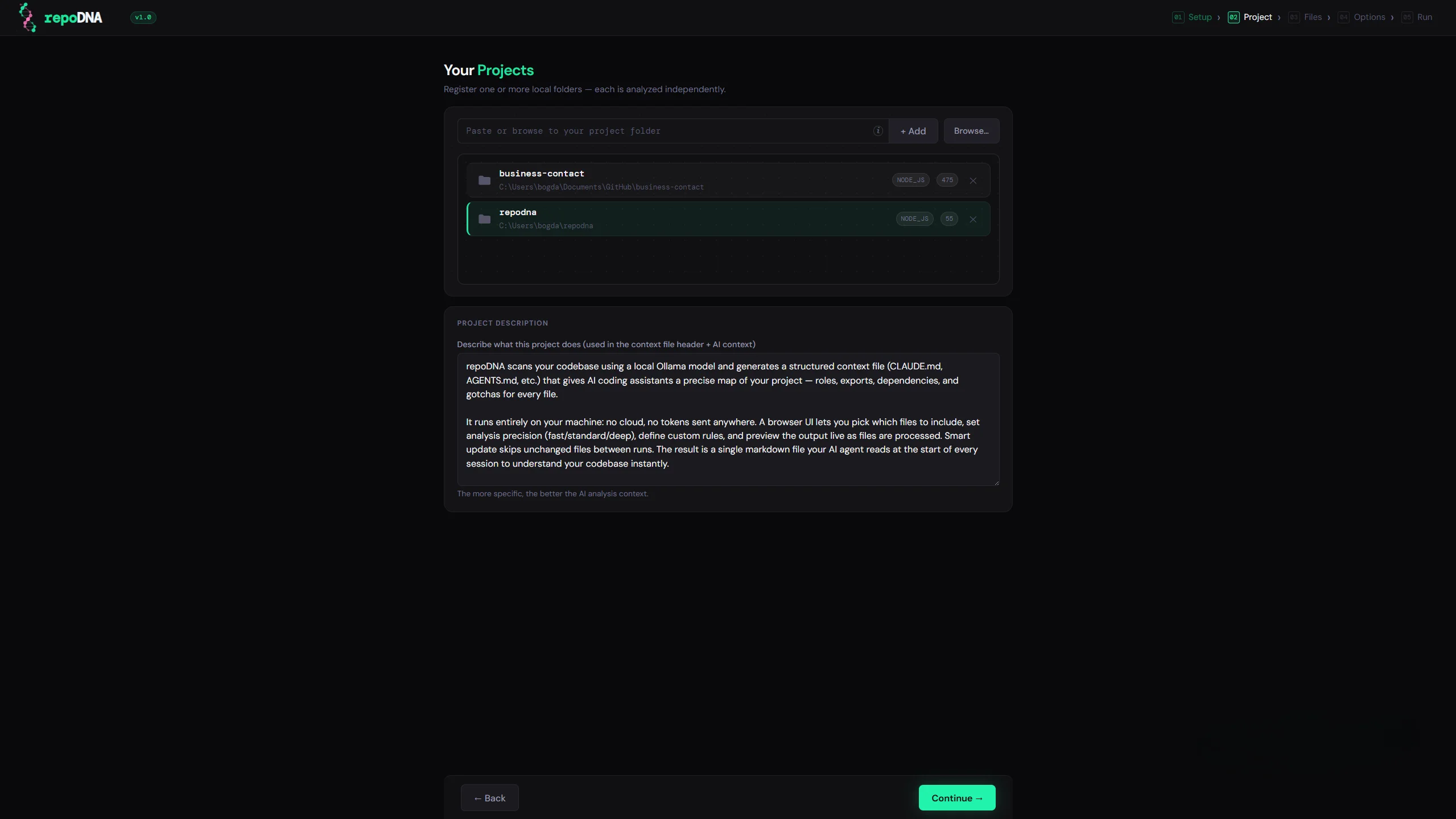
Register one or more local project paths with an optional description. The description helps the AI understand the purpose of the codebase before it even starts reading files.
Multiple projects · per-project description
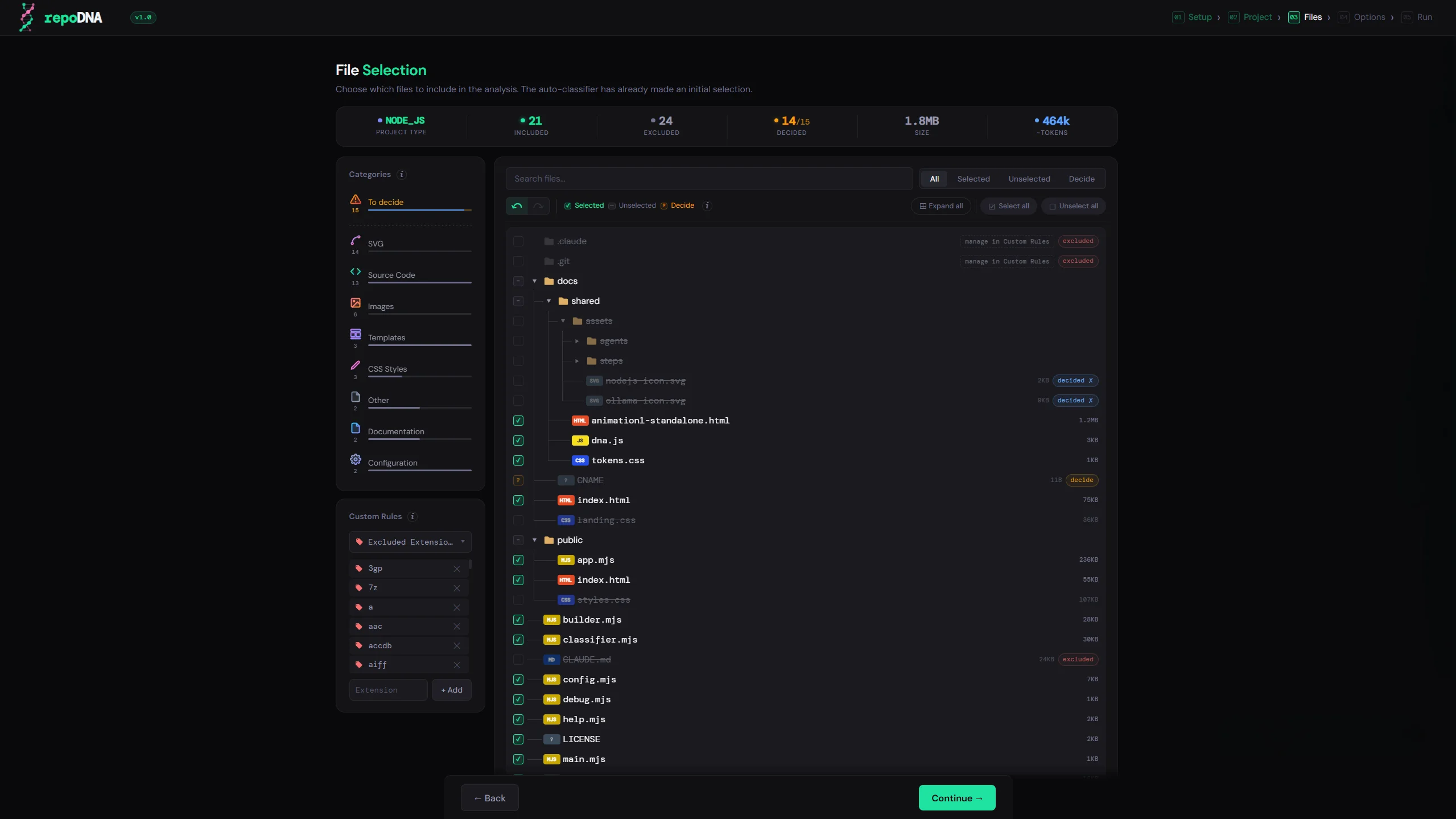
An intelligent algorithm examines your project structure and suggests which folders and file types are safe to exclude — node_modules, build artifacts, generated files. You review and confirm. Custom rules are remembered per project.
Smart defaults · user overrides always win
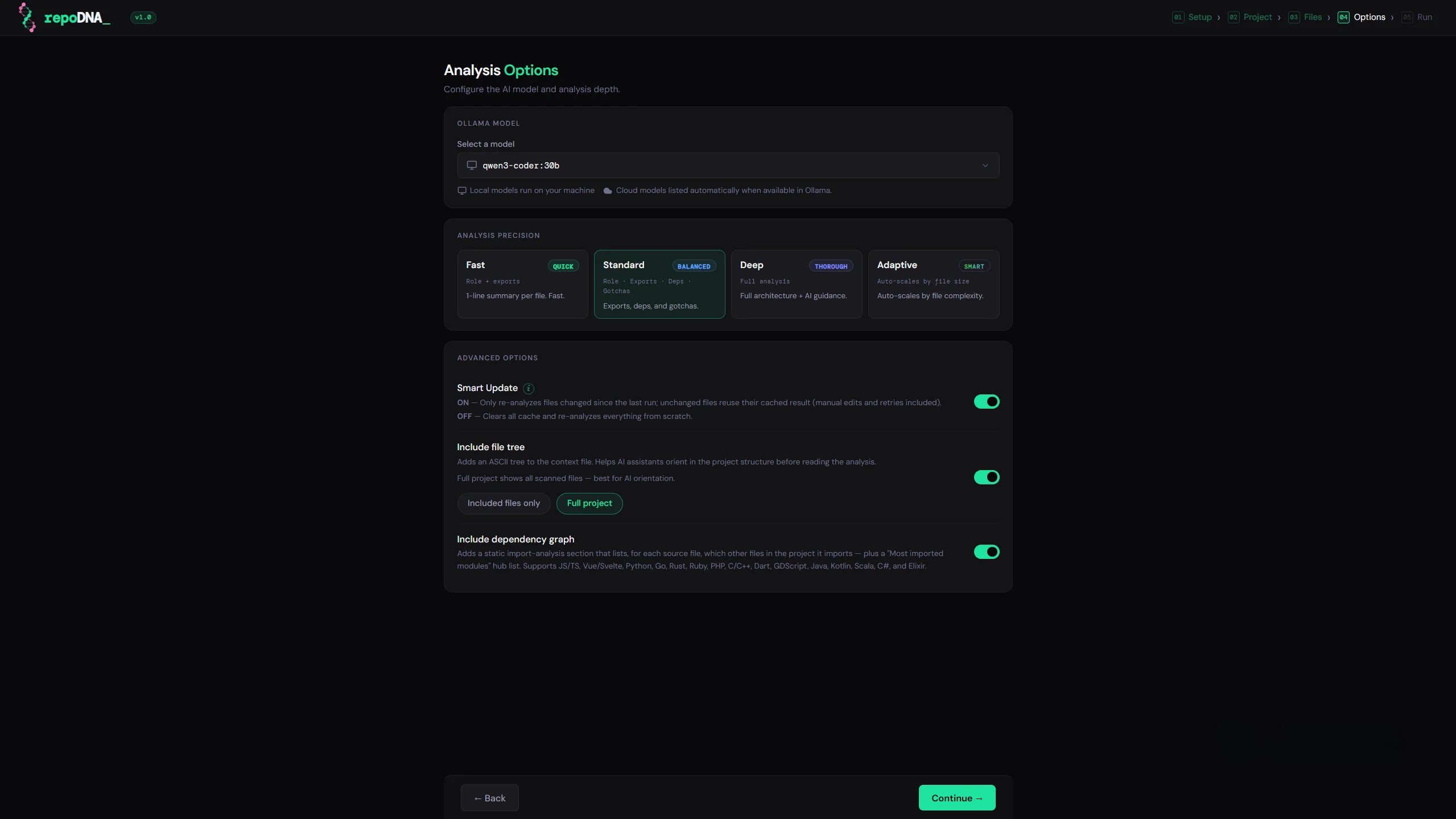
Choose the Ollama model from your installed list, set the analysis depth, and configure advanced options: Smart Update to skip unchanged files, and an optional file tree embedded in the output.
Smart Update · file tree · precision modes
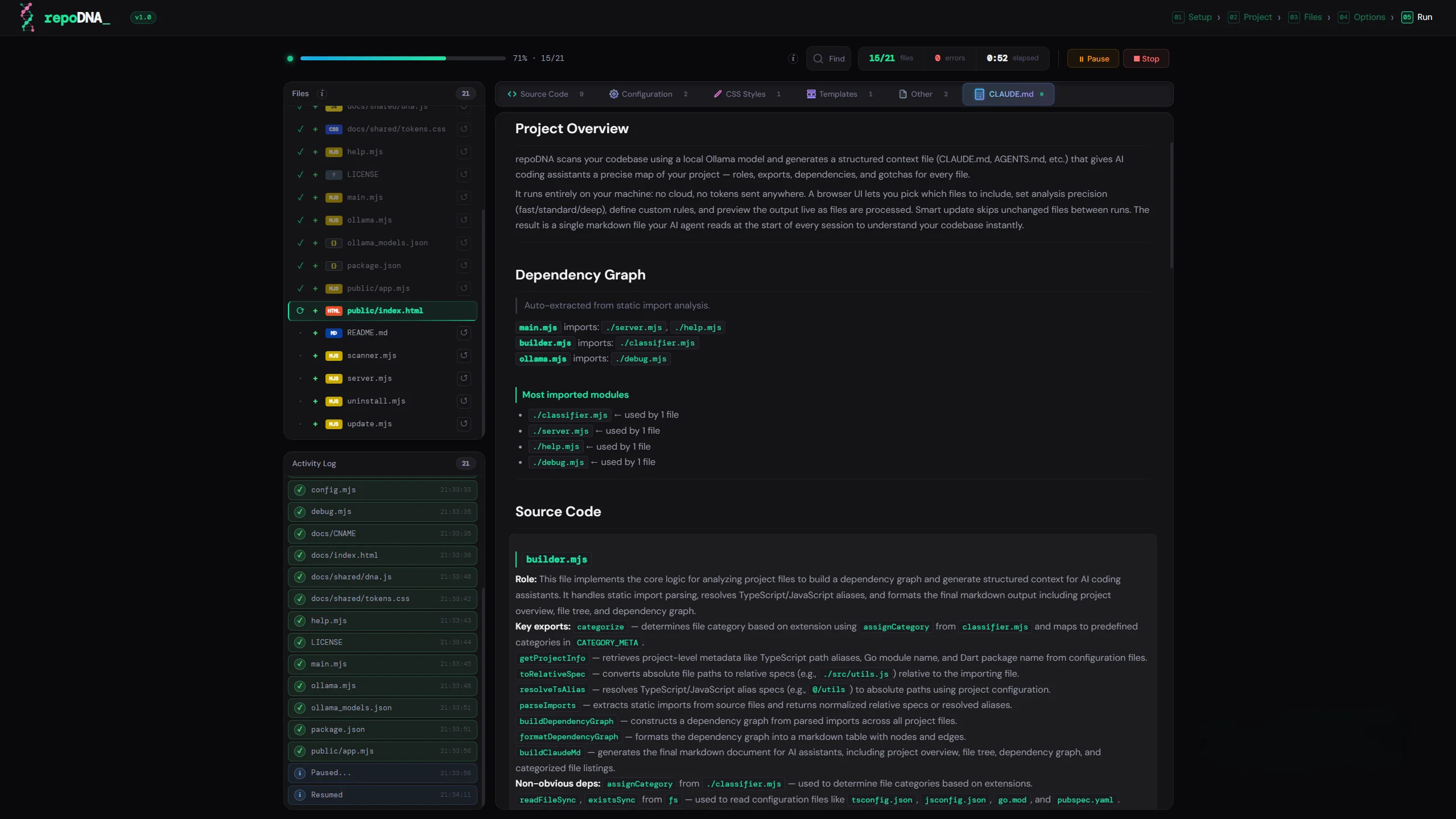
A live progress panel shows each file being processed, its markdown content appearing in real time, and a running log. If a file fails, retry it individually. Each result can also be edited safely from the UI — changes are saved to the cache and the output is rebuilt from there, never by re-reading your project files.
Live preview · retry · edit from UI · cache-safe
Not a wrapper around a cloud API. repoDNA runs entirely on your hardware, respects your privacy, and handles the edge cases that matter.
All analysis runs through Ollama on your own machine. No data leaves your environment, no cloud API is called, no account needed. Your codebase stays yours.
Four analysis depths — Fast, Standard, Deep, and Adaptive. In Adaptive mode the engine auto-selects depth per file based on size and complexity, so small files are cheap and large ones get thorough coverage.
Detects your project type — Node, Python, Rust, Go, and more — and applies sensible defaults: skip node_modules, skip build output, skip binaries. Every decision is visible and overridable.
An MD5 hash cache tracks every analyzed file. On subsequent runs only added, modified, or deleted files are re-analyzed. Large codebases stay fast after the first scan.
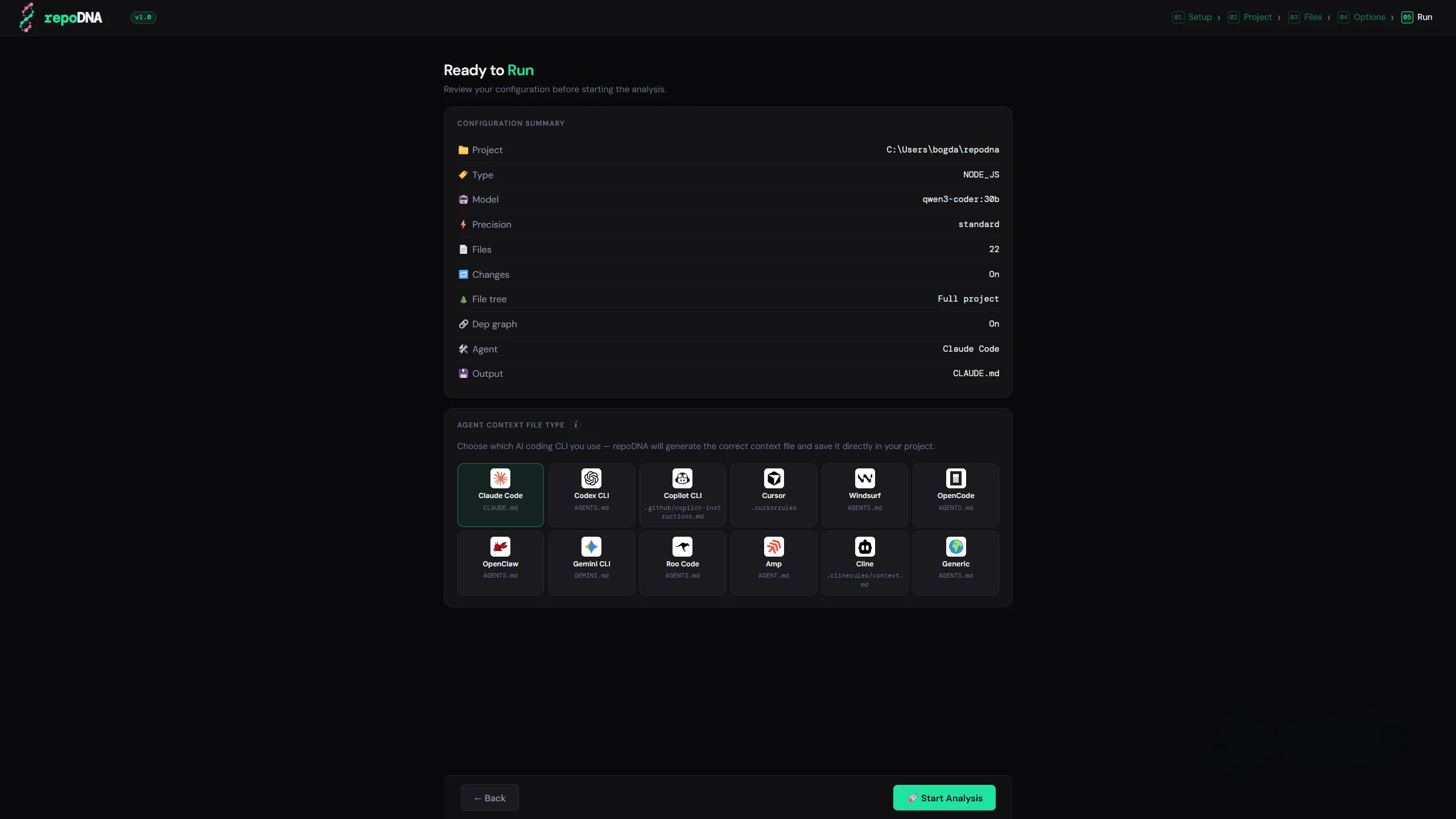
Select your AI coding tool and repoDNA writes the correct format — CLAUDE.md, .cursorrules, .windsurfrules, AGENTS.md, and more. One scan, the right file for your workflow.
Works on Windows, macOS, and Linux. Requires only Node.js 18 and Ollama. No Docker, no native builds, no platform-specific setup.
Pick your AI assistant before the run. repoDNA writes the context file in the exact format and location that tool expects.
The agent list grows with every release. — Open an issue if your tool is missing.
Two dependencies. One command. The rest is handled by the UI.
Download repoDNA from GitHub to any folder on your machine.
Run node main.mjs in the folder. The UI opens in your browser automatically.
The interface checks your environment, walks through project setup, and runs the analysis — all in one guided flow.
Stop writing context files by hand.
repoDNA is free, open source, and runs entirely on your machine. Your code stays yours.